
Give it a couple of Debian boxes with a sudo account. It installs BIND9 (and, if you want, Kea DHCP and chrony), takes over their whole configuration, and from then on you manage everything in the browser: zones, records, server settings, DHCP subnets and reservations, live leases, failover, and which addresses are used and free. One DNS server is the primary for every zone and the others are its secondaries.
Run all of it or only the parts you want: IPAM alone with a scanner node, say, or DHCP next to the DNS server you already have.
What it does
Modules
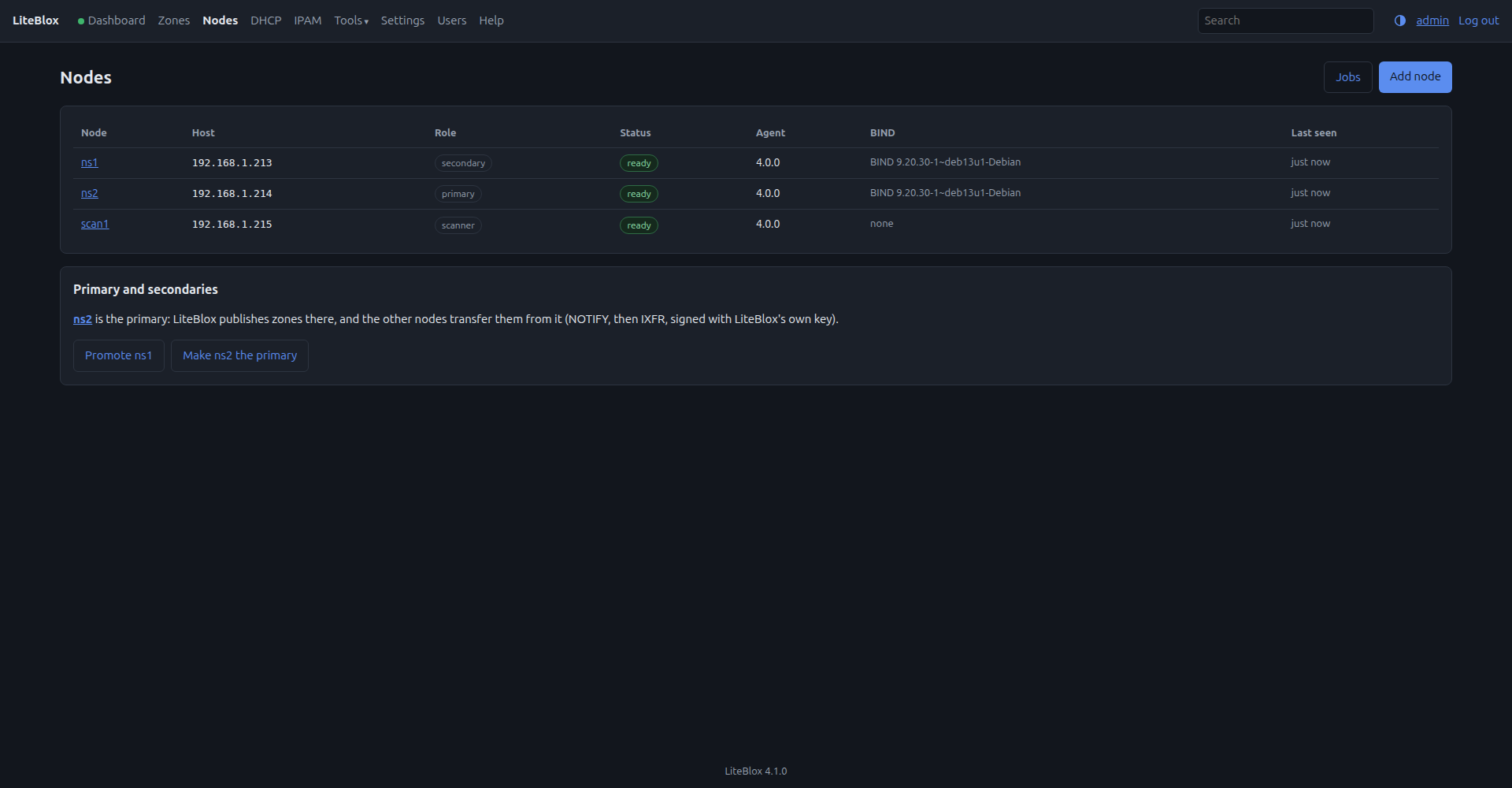
- DNS, DHCP, Time and IPAM can each be on or off, in any mix. A node can run BIND, Kea, chrony, any of them, or none of them (a scanner that only watches its networks for IPAM).
DNS (BIND9)
- Takes over fresh servers, or existing ones with their own config (it proves the new config is equivalent first).
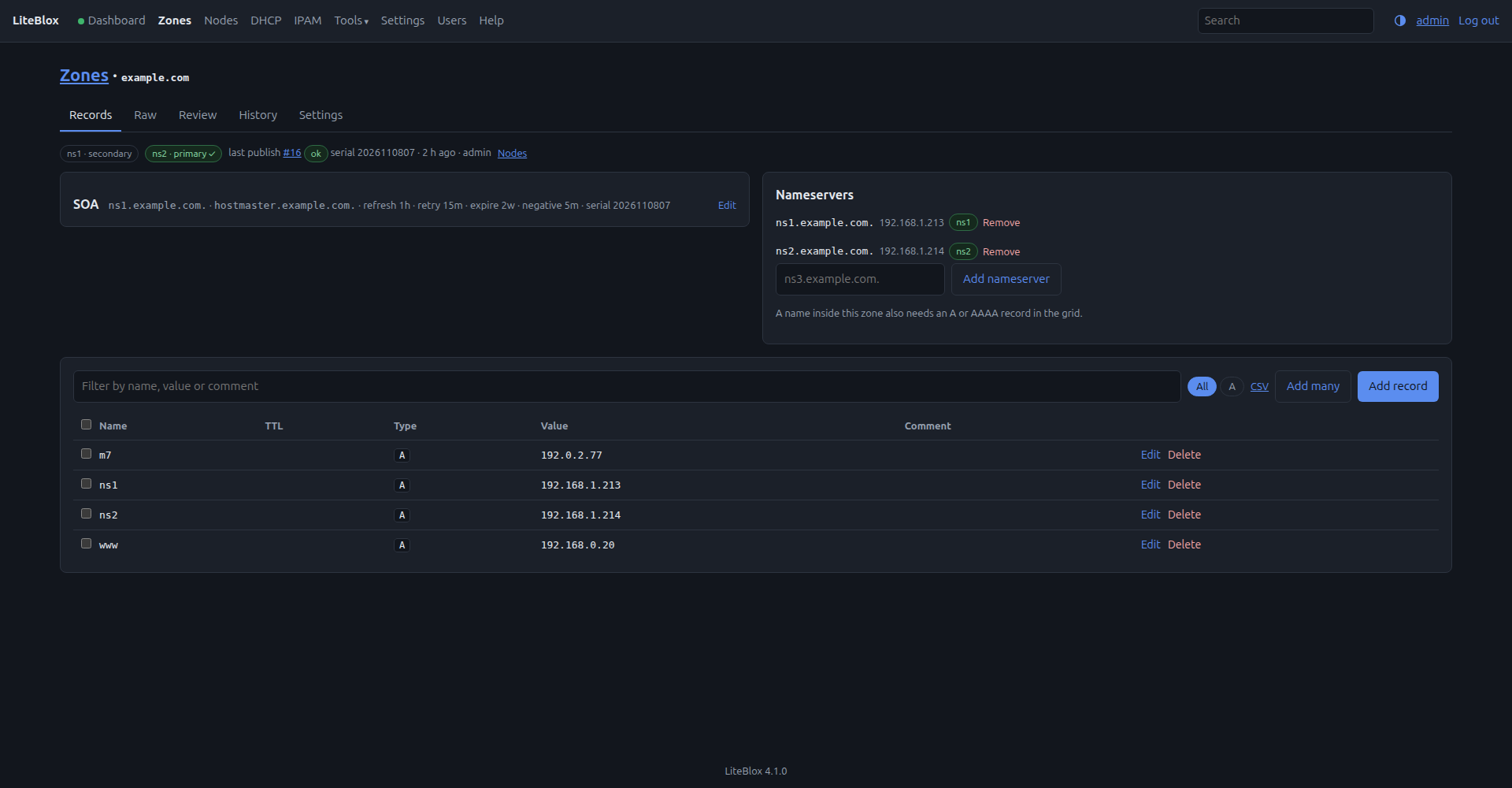
- One primary, the rest secondaries (NOTIFY + incremental transfers). Promote moves the primary even when the old one is down; it's demoted automatically when it comes back.
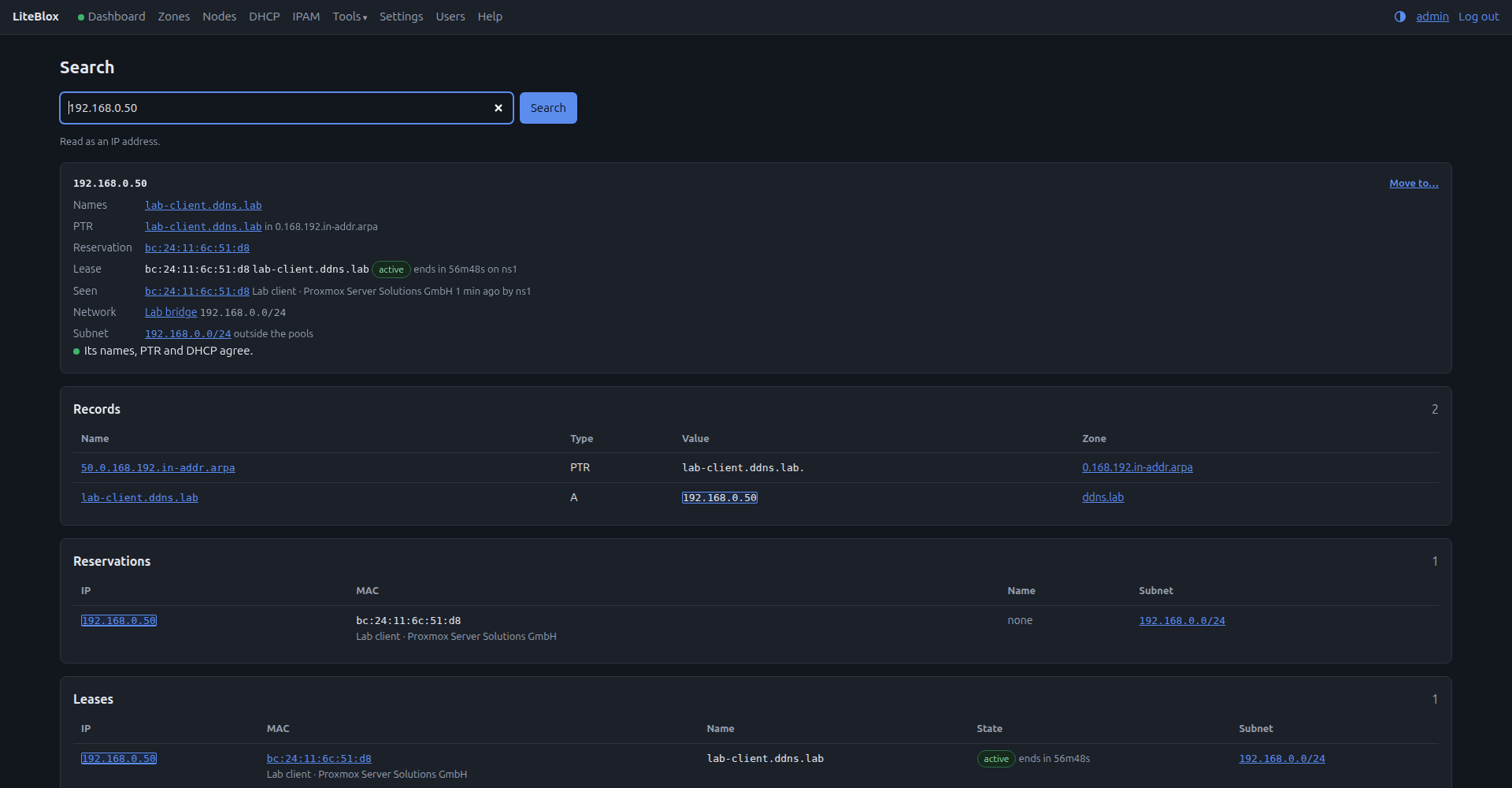
- Forward, reverse and forwarding-only zones. Static zones are edited row by row or many at once (tick rows, paste lines, import a CSV) with drafts, review and automatic PTR records; every publish is a git commit you can compare or restore. Move an address changes its names, PTR, reservation and IPAM entry in one go.
- Dynamic zones for DHCP and ACME clients, with TSIG keys and per-zone grants.
- Per-server options, global ACLs and keys, and a warning within a minute when someone edits a config by hand.
DHCP (Kea, optional)
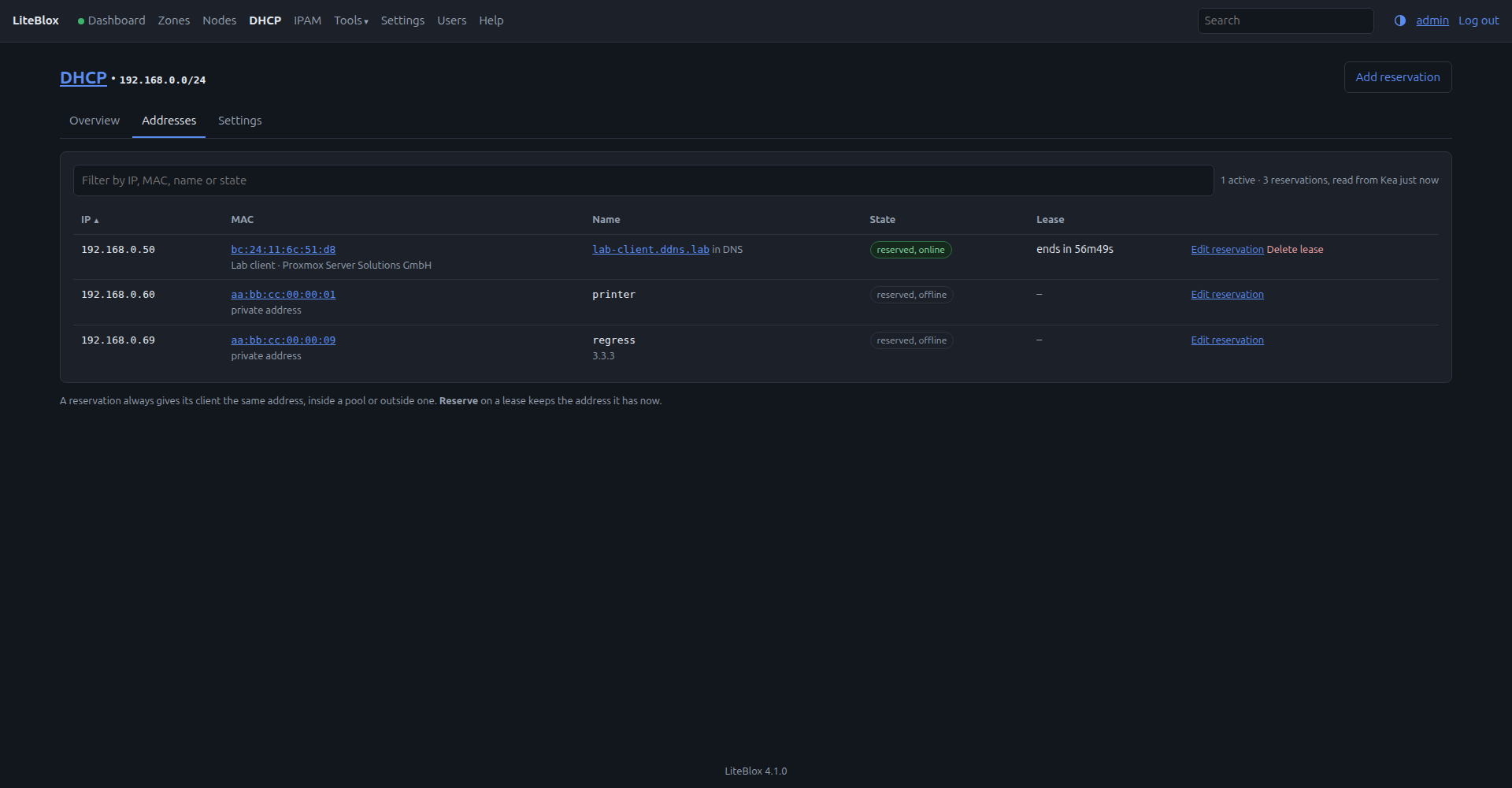
- Subnets, pools, options and reservations; a live leases view.
- Clients registered in DNS automatically: in LiteBlox's own zones (following whichever server is the DNS primary), or at another DNS server with a TSIG key.
- A hot-standby failover pair over mutual TLS.
- Names whose removal from DNS was lost are found and, if you like, cleaned up hourly.
Time (chrony, optional)
- One source list for every node; the nodes serve time to your network, and keep agreeing with each other if the internet goes away.
IPAM
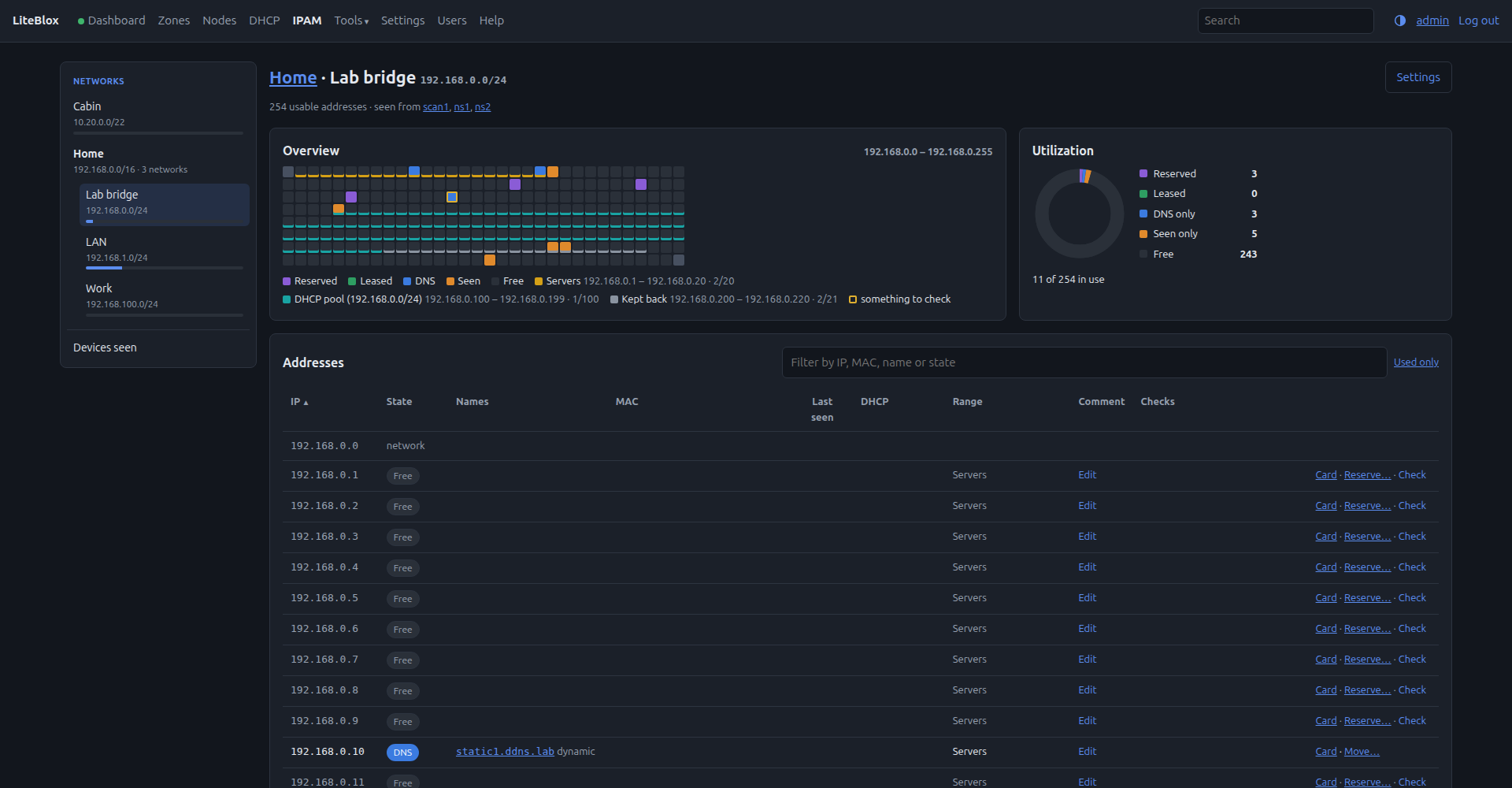
- Networks and named ranges, nested per site, with a map of every address and what uses it, read live from DNS and DHCP: nothing to keep in sync. Without LiteBlox's DNS, names are kept in IPAM and looked up as PTRs at your resolver.
- Devices seen on the network (from the servers' ARP tables, with vendor names), labels per device, and a warning when two devices fight over one address.
- "Give me the next free address" (or a block of them), checked with a ping first, from the API or a small command-line client that can also name them and take them away again.
And
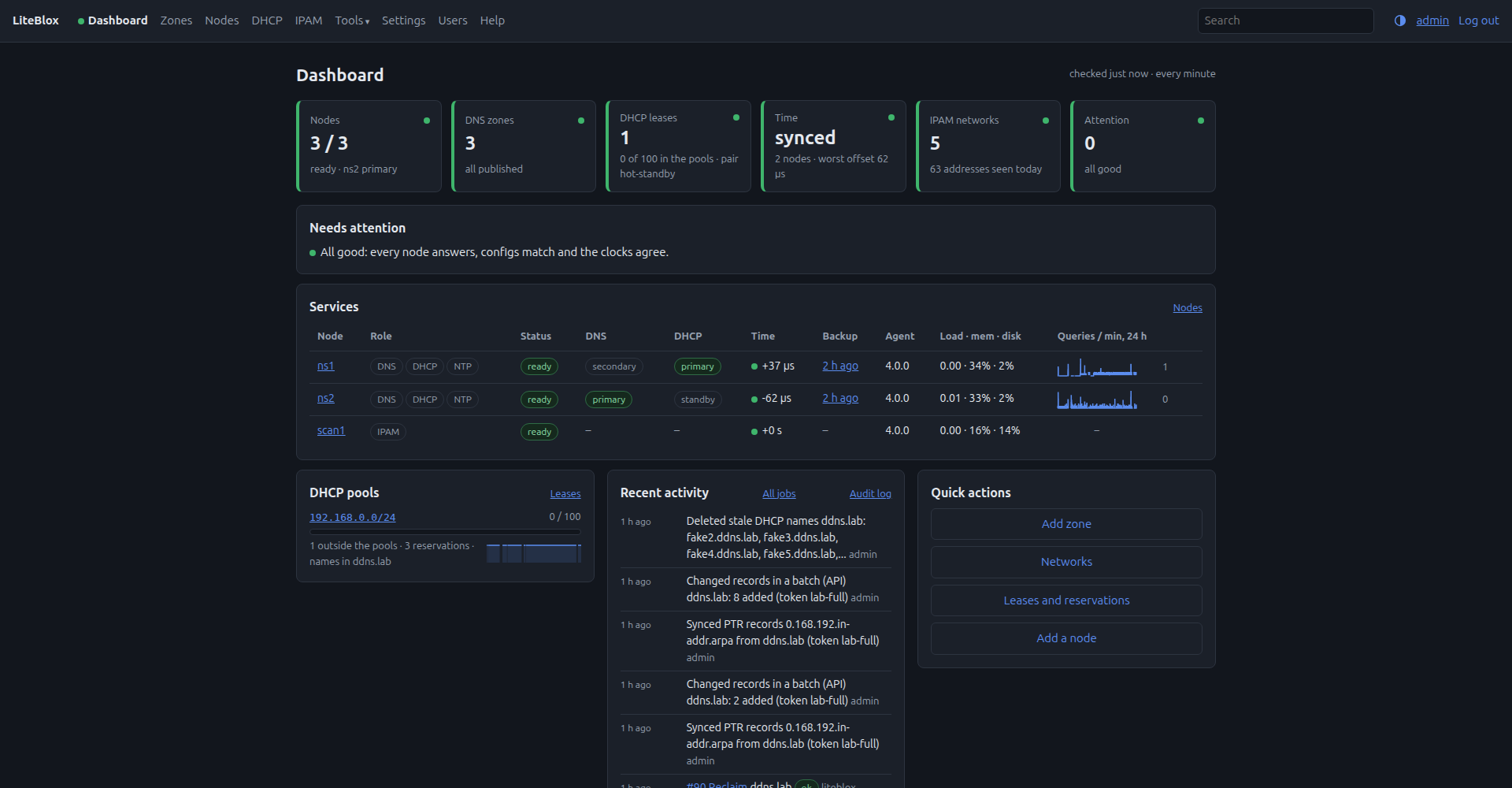
- A Dashboard with graphs, a Jobs page, search across every zone and DHCP.
- A subnet reference and a visual subnet calculator under Tools, and a light/dark switch.
- A REST API with per-user tokens (read-only or full) and a Swagger page.
- Local accounts, admin or read-only, and an audit log of every change.
- It runs entirely on your own network: no cloud service, no telemetry, and nothing loaded from a CDN.
- Nightly backups of each node's files; if LiteBlox itself is lost, a new one can re-adopt the nodes.
- Full documentation, also built in under Help.
Screenshots
How it works
LiteBlox runs in one container. On each server it installs a small agent (Python, standard library only) that it talks to over HTTPS with mutual TLS. SSH is used only during setup, with credentials you type into the setup page; the agent runs as an unprivileged user and needs no sudo. Every change to a server is checked on that server first (named-checkconf, kea-dhcp4 -t), applied one server at a time, and rolled back if a server stops answering.
Good to know
If LiteBlox goes down
The servers are ordinary BIND, Kea and chrony, so they keep answering DNS, DHCP and time without it, and DHCP clients keep registering their names. Editing, health checks and scheduled backups stop until it's back. There's no lock-in either: the configuration on each server is plain files, and a server you remove from LiteBlox goes on serving what it has.
What it doesn't do
- DHCP and IPAM are IPv4 only. AAAA records and
ip6.arpazones work fine. - BIND views aren't supported, and a server that uses them can't be taken over.
- One primary serves every zone, and moving it is a manual Promote. The DHCP failover pair does fail over by itself.
- Accounts are local to LiteBlox: no LDAP, SSO or two-factor login.
Who's behind it
LiteBlox is one person's project. It has run my home network's DNS, DHCP and time since November 2026, but it comes with no support, so keep a backup of ./data.
License and credits
LiteBlox is Copyright (c) 2026 Dorkbrain (dorkbrain.com), released under the MIT License. The full text is the LICENSE file in the source download and in the image. It's provided as is, without warranty of any kind.
- The Subnet Calculator under Tools is an altered version of David C A Croft's Visual Subnet Calculator, Copyright (c) 2002, 2011, 2018, 2019 David C A Croft, modified for LiteBlox. It isn't the original software, and its license ships beside it.
- LiteBlox builds on BIND, Kea, chrony, Debian, FastAPI, Jinja2, htmx, Alpine.js and Swagger UI, each under its own license.
- LiteBlox is an independent project, not affiliated with or endorsed by Infoblox.